Your 2027 Ready Bundle lives right here.
All 5 tools are on this one page, so there's nothing to download and nothing to lose in your inbox. Use them in order, one step at a time, and check each one off as you go.

A quick tour of your bundle.
I walk you through where everything is and how to use the 5 tools in order. Watch it once, then start with the Niche Builder.
Each tool sets up the next one.
Come work on this with us in Coach Base Camp.
My free Facebook group for coaches. Bring your questions, share a post from your calendar and get help with the tech.
- Weekly live Q&A
- Tech support
- A content lab for your posts
Get live coaching and year-round support in Coach With Clients Academy.
The tools in this bundle line up with the 5 Milestones inside the Academy. You'd keep building on what you have, with me in your corner.
- A 1:1 onboarding call with me
- 2 live coaching calls a month
- A monthly live marketing training
- A day-by-day roadmap and a community of coaches
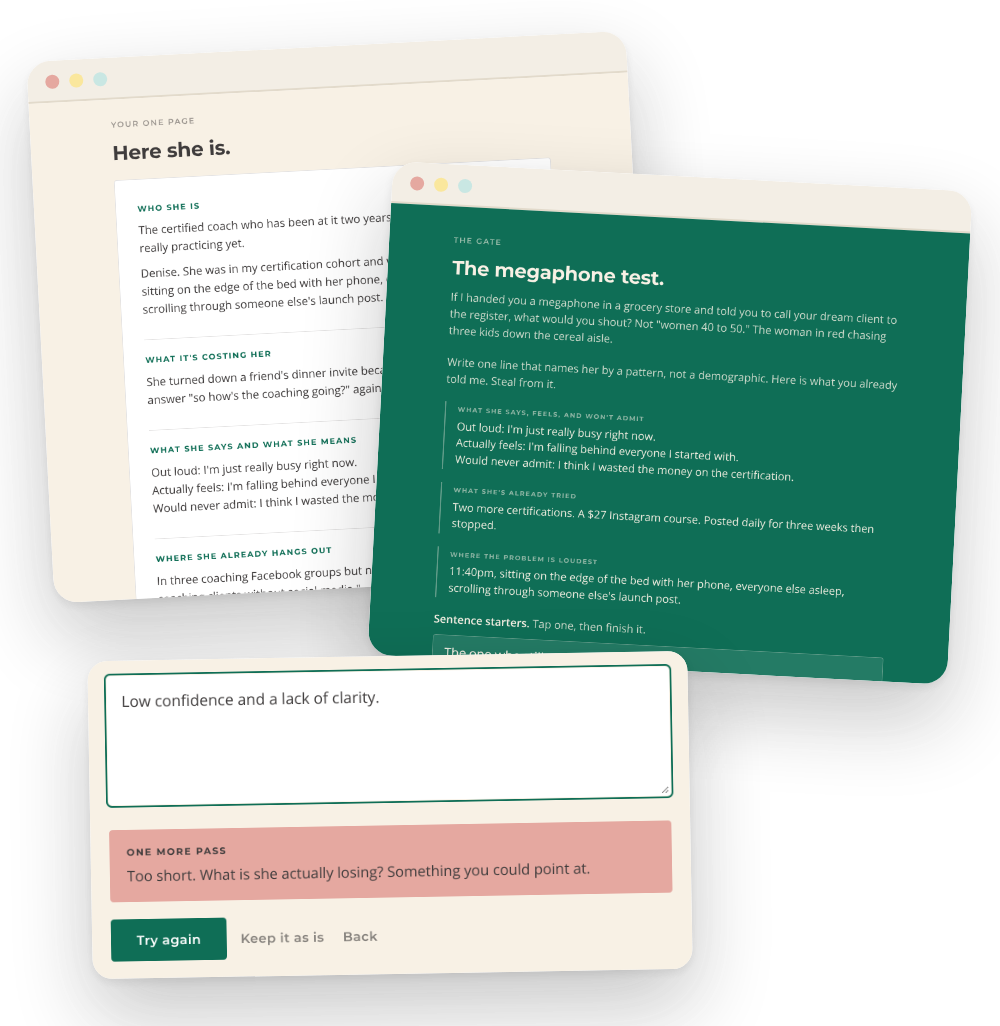
The Niche and Avatar Builder
13 questions, about 25 minutes. You'll walk away with a one-page summary of one real dream client and a clear answer to "So what do you do?"
- Grab a coffee and give yourself 25 quiet minutes.
- Answer honestly, not impressively. The tool will push back on vague answers.
- When you reach your One Page, copy it into a doc you keep.
Your answers save in this browser only. If you switch devices, you'll start fresh there.
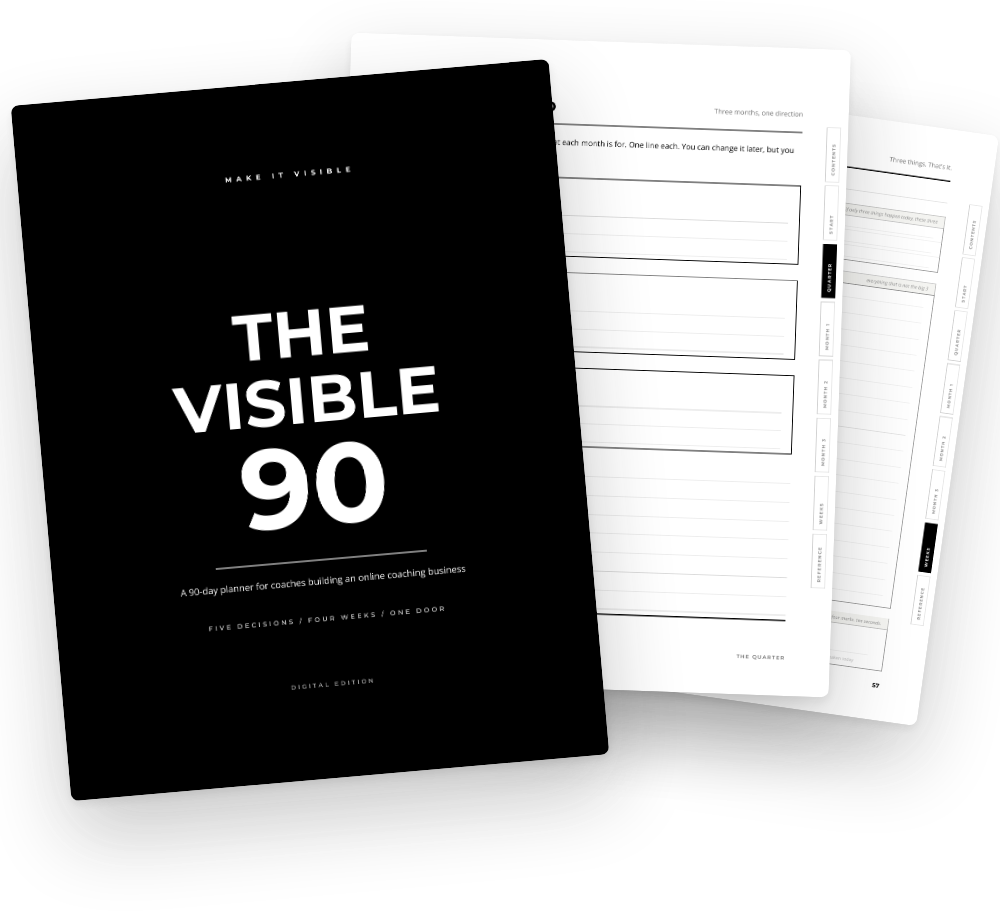
The Visible 90
Map your next 90 days of marketing as one campaign: one dream client, one offer, one message and one door each month, then one main piece of content a week that points to it.
- Pick your start date and do the Start pages once.
- Set the quarter, then make the five decisions for Month 1.
- Map your four weeks. Your calendar fills in, with ideas from your 2027 Content Calendar beside each day.
Five decisions. Four weeks. One door. About 90 minutes a month.
The 2027 Content Calendar
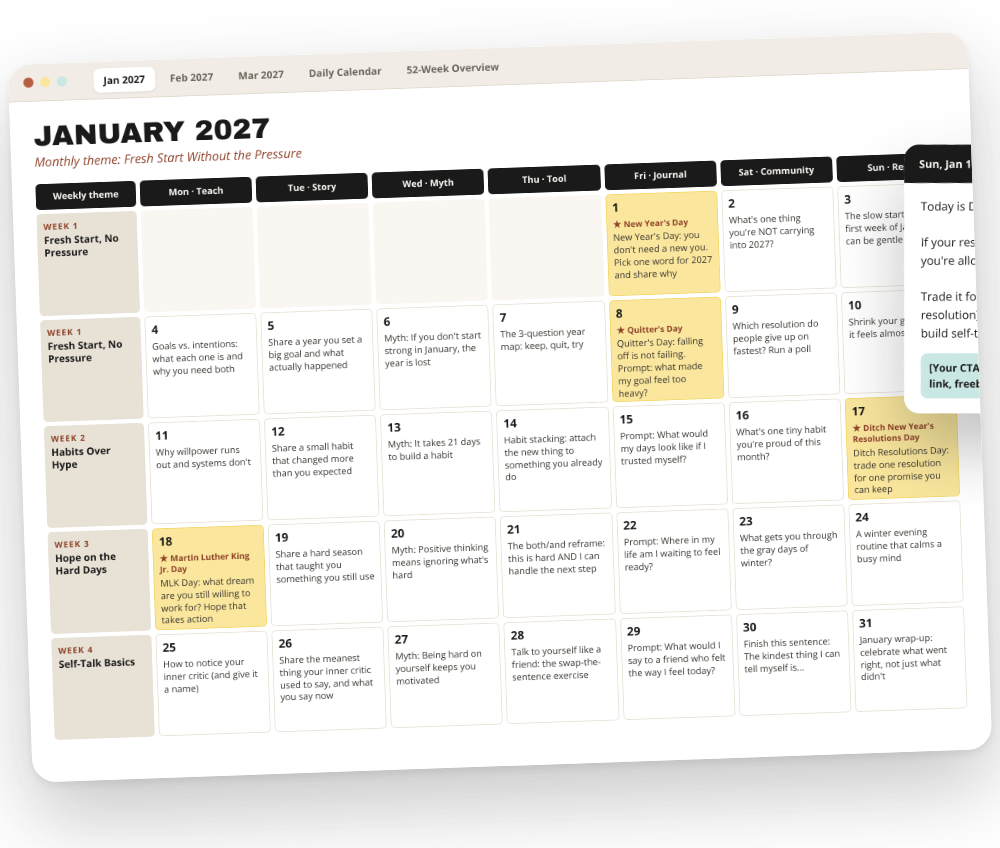
A post idea and a ready-to-edit caption for every day of 2027, with holidays and special days already marked. Click any day to see its caption.
- Find today's date (or the next day you'll post).
- Copy the caption and fill in everything in [brackets] with your own words.
- Post it, then come back tomorrow.
Written for mindset, wellness and confidence coaches. If you coach something else, keep the idea and swap in your niche.
January 2027
Network Outreach Email Templates
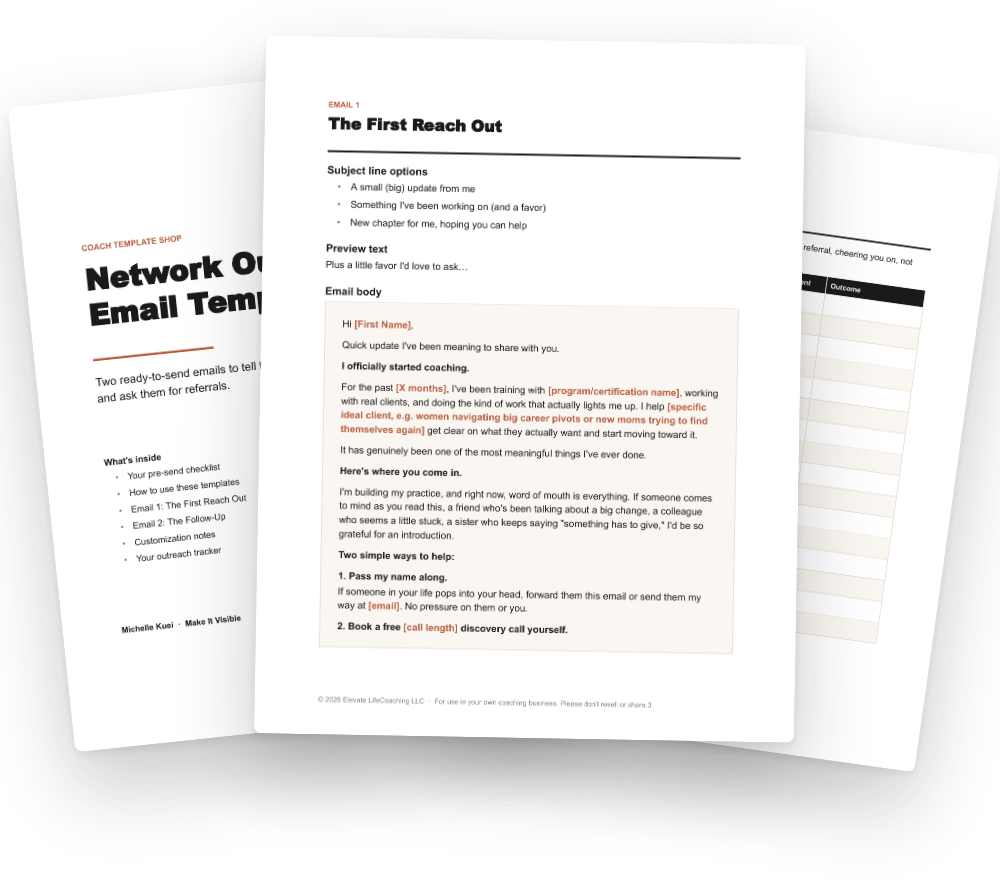
Two warm emails to tell the people you already know that you're coaching, and ask for referrals. Fill in your details once and both emails update for you.
- Send Email 1 to your warm network. People you actually know.
- Wait 7 to 10 days.
- Send Email 2 to anyone who didn't reply.
Fill these in once.
Your details save in this browser only.
Send this to your warm network.
Preview text: Plus a little favor I'd love to ask…
The Follow-Up
Send this only to people who didn't reply to Email 1. Keep it short. For a lot of people, this is the one they finally answer.
Preview text: Just one name is all I'm asking for…
"Women in transition" is too vague. "Women in their 40s rebuilding after divorce" lands harder. The more specific it is, the easier it is for the reader to picture someone they know.
If you have an intro offer or limited spots, include it. If not, leave it off so the email stays focused on referrals and discovery calls.
- Send one at a time when you can.
- If you batch, keep it under 15 people and BCC everyone.
- Add one personal line at the top. It takes 10 seconds and changes the whole feel.
Many people won't reply right away. That's normal, and it's why the follow-up exists. You'll usually hear from a few who want a call, a few who pass along a name, and some who just cheer you on. Those count too.
Your outreach tracker
Log everyone you email. Saved in this browser only, so copy it somewhere safe once in a while.
| Name | Email 1 sent | Replied? | Email 2 sent | Outcome |
|---|
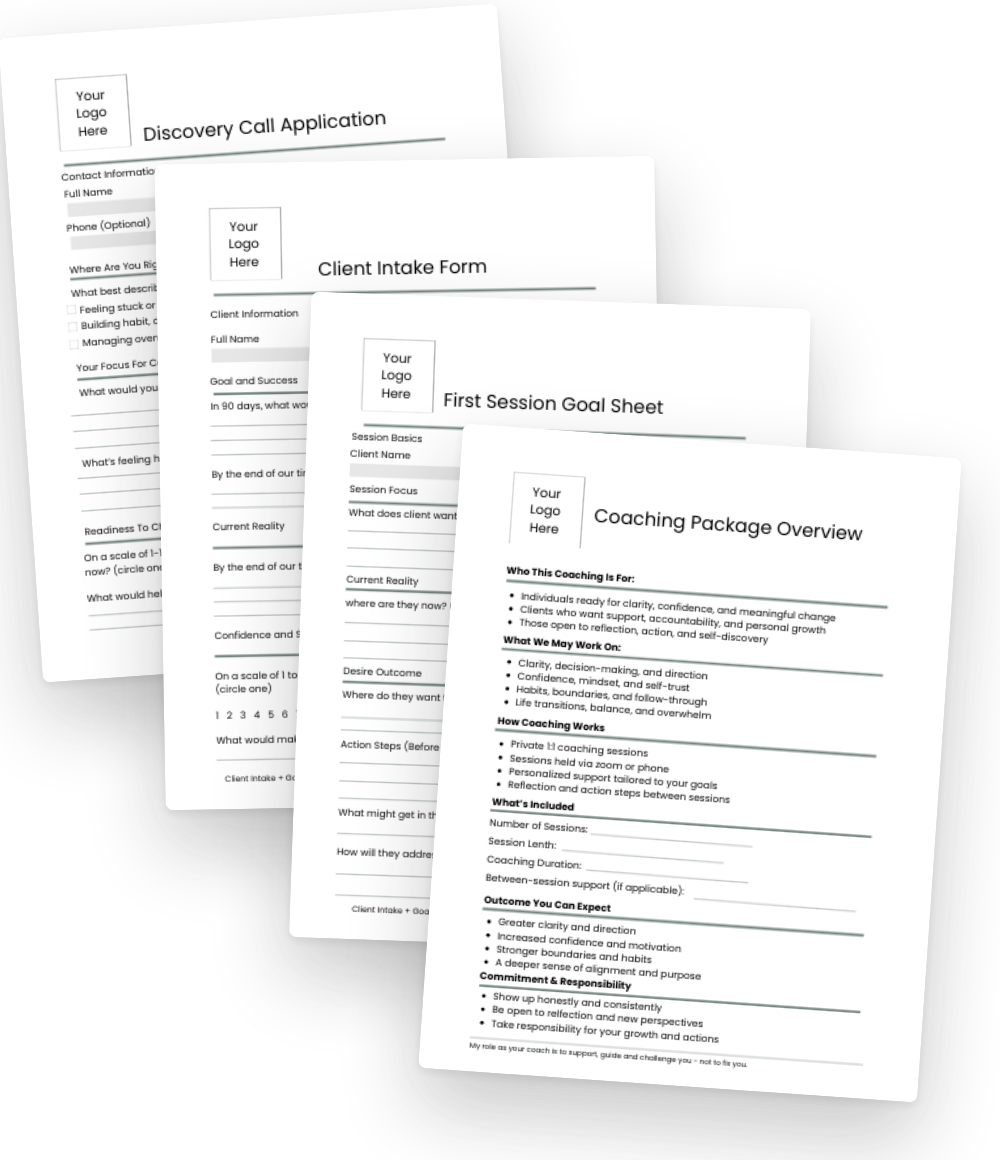
Client Onboarding Bundle
Three forms so you look ready the moment someone says yes. Add your name and logo once, adjust the wording to fit your coaching, then print them or save them as PDFs to send.
- Add your business name, contact and logo below.
- Change any list so it fits your niche.
- Send the application before a discovery call, the intake form after they say yes, and the package overview with your offer.
This goes on every form.
To save a PDF, choose "Save as PDF" in the print window. If no print window opens, your browser blocked it here, so open this page in its own tab and try again. Want an online form instead? Click "Copy questions" and paste them into Google Forms or your CRM.